All apps
Cars · NO

Bil Info – Regnr & EU-kontroll

Look up the Norwegian registration number and see if there is debt on the car.

What it does

Type or scan the Norwegian registration number, and you see make, model, technical data and the next EU inspection. The app warns you of any sales lien, distraint or lease on the car — the debt comes with it when you buy. Lookups go straight to Statens vegvesen and Løsøreregisteret, and nothing is stored about you.

  • Search by Norwegian registration or chassis number
  • Sales liens, distraint and leasing from Løsøreregisteret
  • Clear warning when the EU inspection is overdue
  • Fuel, engine power, weight and towing weight
  • Estimated re-registration fee on transfer of ownership
  • A garage with your own cars and notes

Bil Info is an independent app with no ties to Statens vegvesen or Brønnøysundregistrene — in case of doubt, the registers' own data applies. Owner details and mileage are not publicly available.

How it works

Everything about the car from one plate

Information about a Norwegian car is publicly available from the Public Roads Administration and the Brønnøysund Register Centre — but on separate sites, each with its own search form. Bil Info looks the plate up in both and gathers the answer on one screen.

01

One plate, two registers

Type the registration number — or the VIN, which the app recognises on its own — and press search. The app then works two public sites at the same time: the Public Roads Administration's vehicle lookup and the movable property register at Brønnøysund.

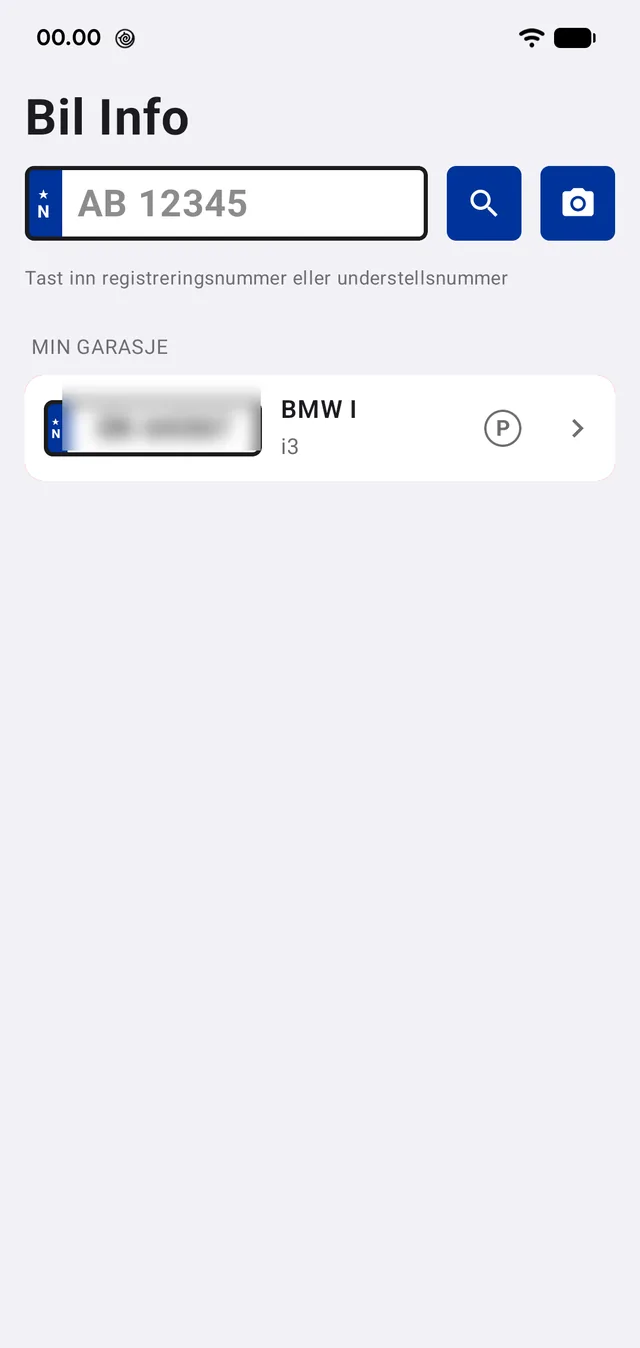
If you are standing at the car, the camera can read the plate instead. Cars you look up again and again can be saved in the garage and opened with one tap.

No account, no login. The app stores nothing on a server.

  • Registration number or VIN
  • The camera can read the plate
  • The garage remembers the cars you follow
  • No account and no login
The search field and the garage. The plates are blurred here on the website — in the app they are perfectly readable.
02

The overview: the answer before the detail

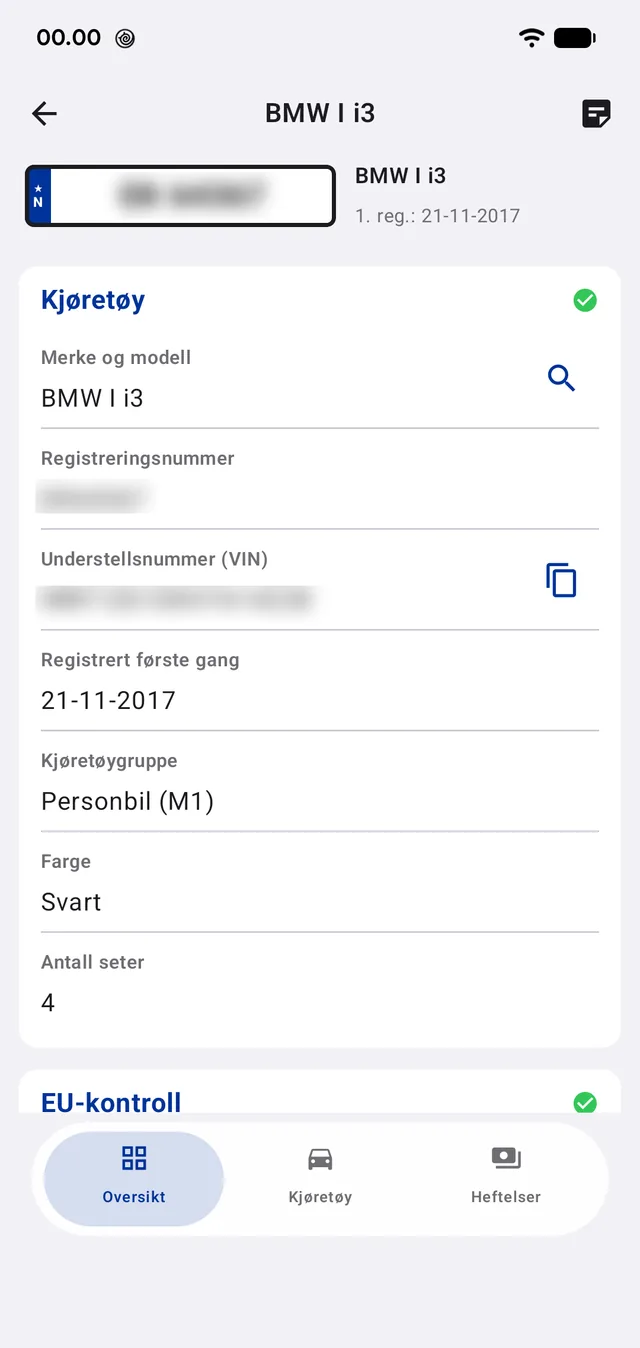
The first screen is the app's own summary, assembled from what the two registers answered. Green marks say at once whether the vehicle is registered, whether the roadworthiness test is in order, and whether there are charges against it.

Under the vehicle heading sit make and model, registration number, VIN, the date of first registration, vehicle group, colour and number of seats. The VIN can be copied with one tap.

Owner details and mileage are not shown. They require a login to the Roads Administration's own account pages, and an app cannot — and should not — log in on your behalf.

Vehicle data and status marks for registration, roadworthiness test and charges.
03

Roadworthiness test, charges and re-registration fee

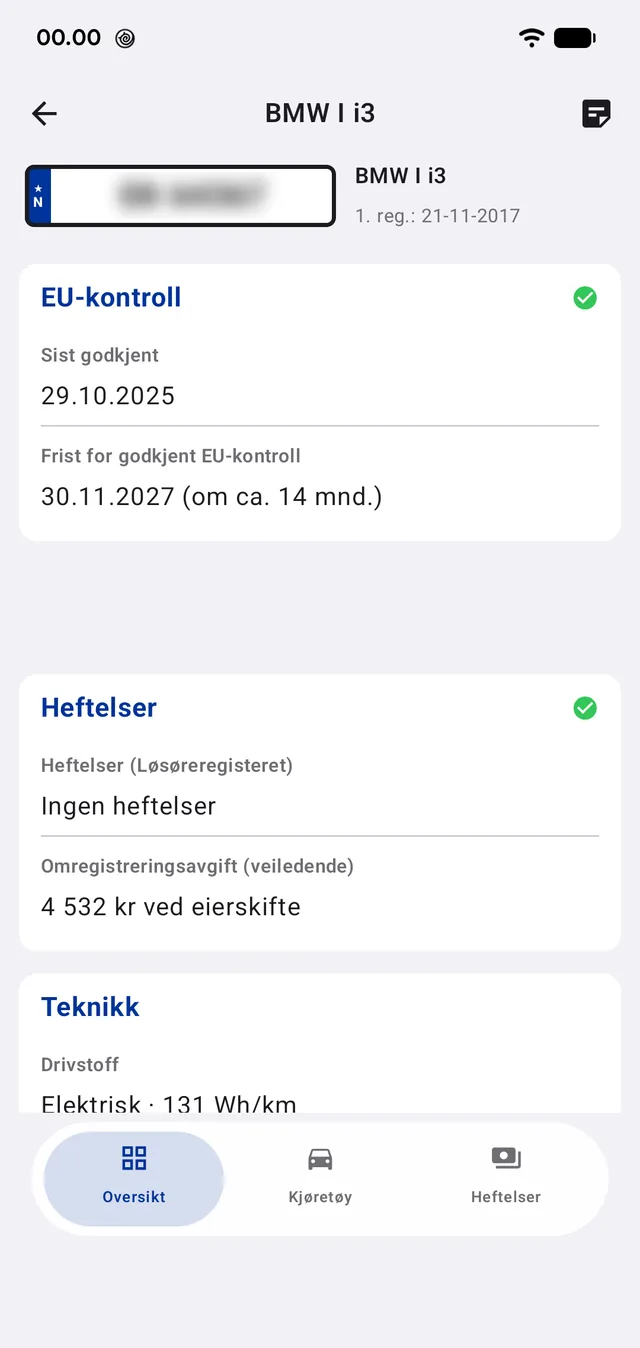
The roadworthiness test shows the date of the last approved inspection and the deadline for the next — with how many months remain, so you do not have to work it out.

Charges come from the movable property register: if the car stands as security for a loan it says so here, and the charge follows the car rather than the seller. If there are none, it says that too.

Below the charges sits the re-registration fee, computed in the app from the current rates and given as an indicative amount on a change of owner. That is the number you are missing while negotiating over a used car.

The technical section carries fuel type, consumption and emissions — for an electric car Wh/km rather than litres.

Last approved inspection, the deadline for the next, charges and the re-registration fee.
04

The two sources, one by one

If you want the original answer, each source sits as its own tab — not as a copy of the data, but as the authority's own page, shown inside the app.

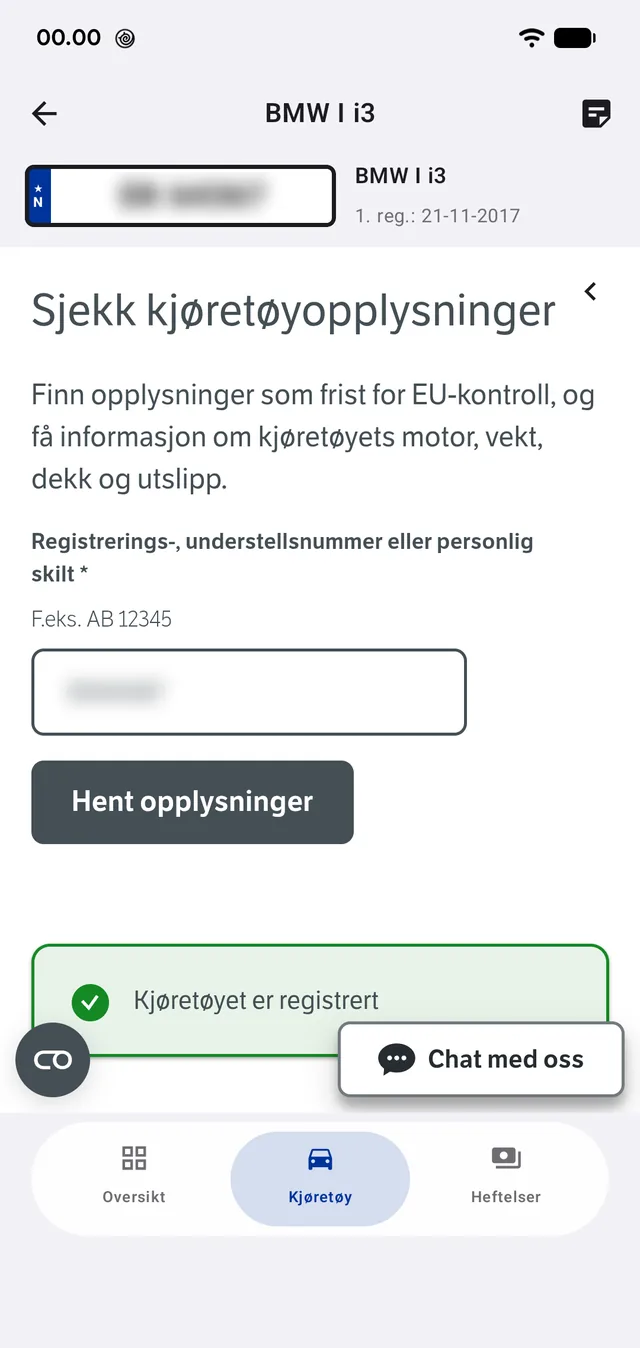
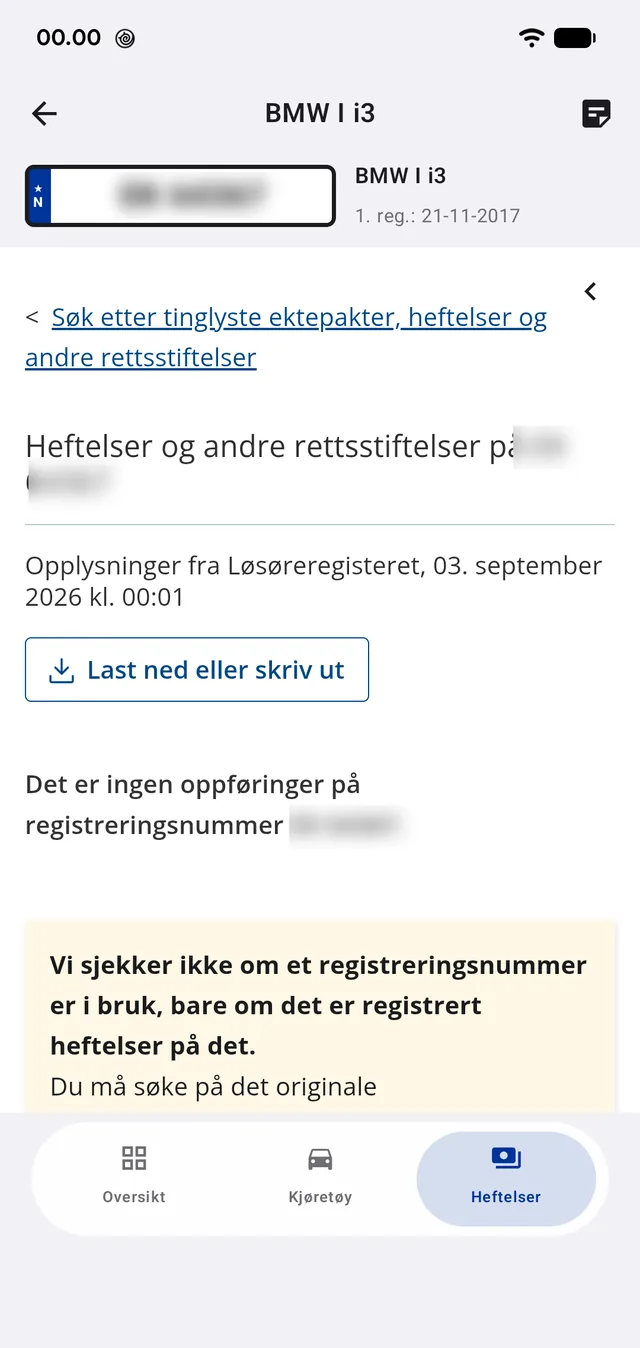
Kjøretøy is the Public Roads Administration's vehicle lookup. Heftelser is the register's enquiry, which answers either that no entries exist or lists them — carrying the register's own caveat that it checks only whether charges are registered, not whether the plate is in use.

The app fills in the forms itself and hides the sites' menus so only the answer remains. If a step goes wrong, the page is shown as it is and you search by hand.

The charge register can only search by registration number. If you look up a VIN, the app takes the plate from the Roads Administration's answer and tries again.

The Public Roads Administration's own lookup, filled in by the app.
The register: 'no entries found' — with the register's own caveat.

Where the information comes from

Everything in the app is publicly available register data, fetched straight from the authorities' own pages. The app has no database and requires no account.

Statens vegvesen
Vehicle data, technical data, roadworthiness test and registration status
Løsøreregisteret (Brønnøysund Register Centre)
Charges and other rights registered against the vehicle
Current re-registration fee rates
Computed in the app from vehicle group, weight and age