All apps
Cars · DK

Bil Info nummerplade

Look up a Danish licence plate and see the vehicle data instantly.

What it does

Type in the plate and get the vehicle details: make, model, year, fuel and inspection history. Useful when you are standing next to a used car.

  • Search by licence plate
  • Technical data and fuel type
  • Inspection details
  • Danish vehicles only
How it works

Everything about the car from one number

Information about a Danish car is public — but spread across three separate government sites, each with its own search form. Bil Info looks the plate up in all three at once and gathers the answer on a single screen.

01

One number, three registers

Type the registration number — or the VIN, which the app tells apart on its own — and press search. The app then works three public sites at the same time: the Motor Register at the Danish Tax Agency, the Road Safety Agency's inspection reports, and the vehicle charge register at the Land Registration Court.

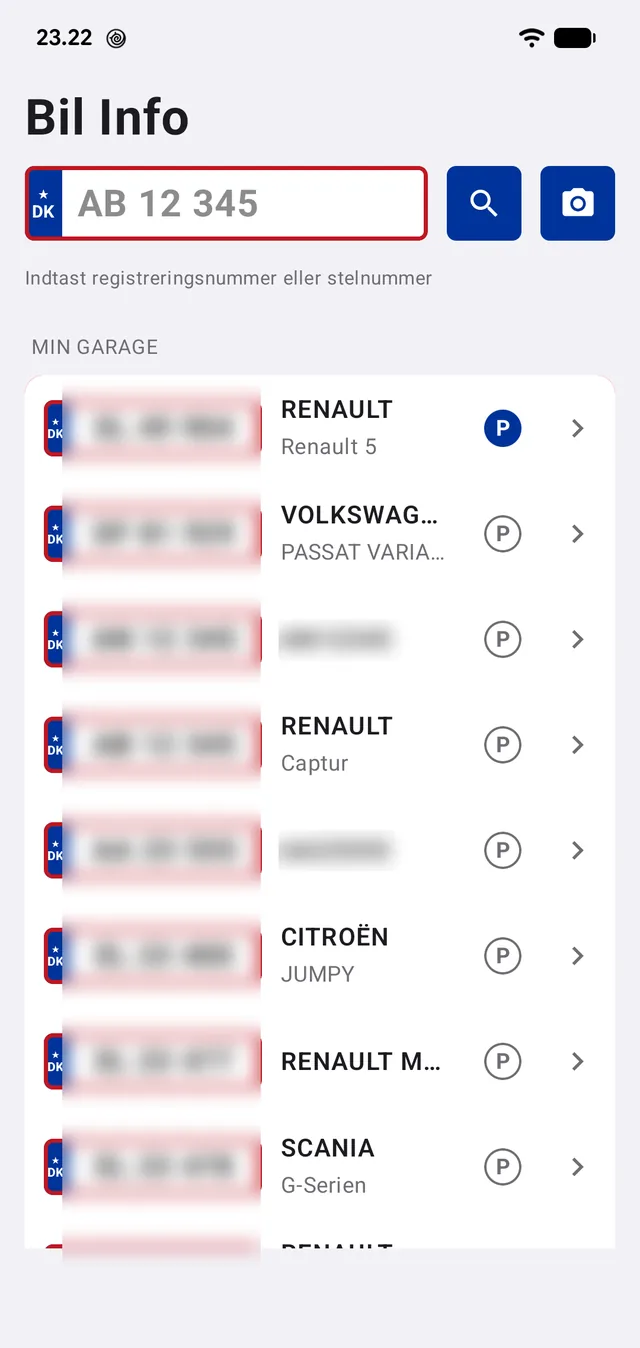
If you are standing at the car, the camera can read the plate instead. The app recognises the characters and fills in the search field itself.

Cars you look up again and again — your own, the family's, one you are thinking of buying — can be kept in the garage and opened with one tap.

  • Registration number or VIN, the app tells the difference
  • The camera can read the number plate
  • The garage remembers the cars you follow
  • No account, no login
The search field and the garage. The plates are blurred here on the website — in the app they are perfectly readable.
02

The overview: the answer before the detail

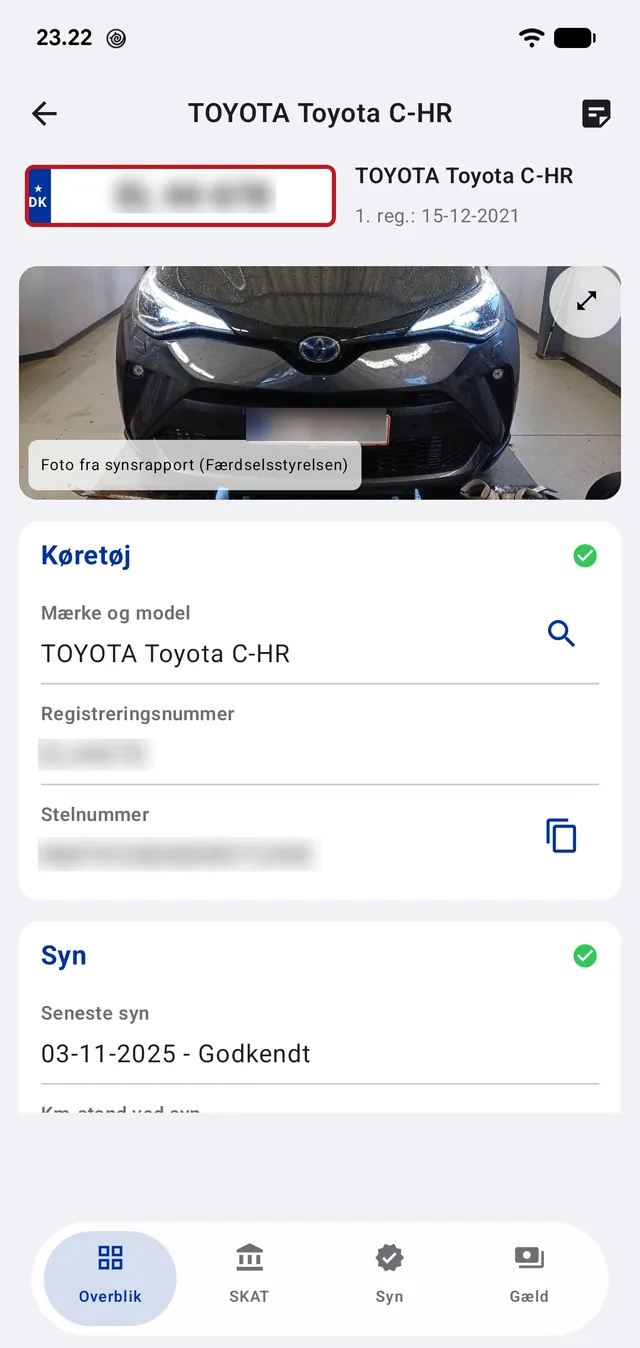
The first screen is not a web page but the app's own summary, assembled from what the three registers answered. Green marks down the right say straight away whether the car is registered, whether the inspection is in order, and whether there is debt secured against it.

At the top sits the photo of the car from its most recent inspection report — the Road Safety Agency's own picture, taken while the car stood on the lift. Below it are make, model, registration number and VIN, and the VIN can be copied with one tap.

The fields fill in as the answers land. Until then a dash stands there — the app invents nothing, and an empty answer from one register never overwrites something it already has.

The inspection report photo, vehicle data, and status marks for registration, inspection and debt.
03

The inspection — and the odometer that must not run backwards

Under the inspection sit the date of the most recent one, the result, and the odometer reading taken at the time. Below that is the one line worth studying if you are thinking of buying the car: the odometer history.

The app collects the reading from every recorded inspection and checks that the series climbs. If it does, it says 'OK — rising through every inspection'. If it falls between two inspections, something is wrong: an odometer cannot count backwards by itself, and the app writes a red warning instead.

Finally an indicative date for the next inspection, worked out under the Danish rules — two years after the most recent one, or four years after first registration for a car that has not yet been inspected.

  • Odometer reading from every recorded inspection
  • A red warning if the series falls — possible odometer tampering
  • An indicative date for the next inspection
  • The inspection result verbatim from the Road Safety Agency
'OK — rising through every inspection'. If that line is red, the car's mileage cannot be trusted.
04

Economy and technical data

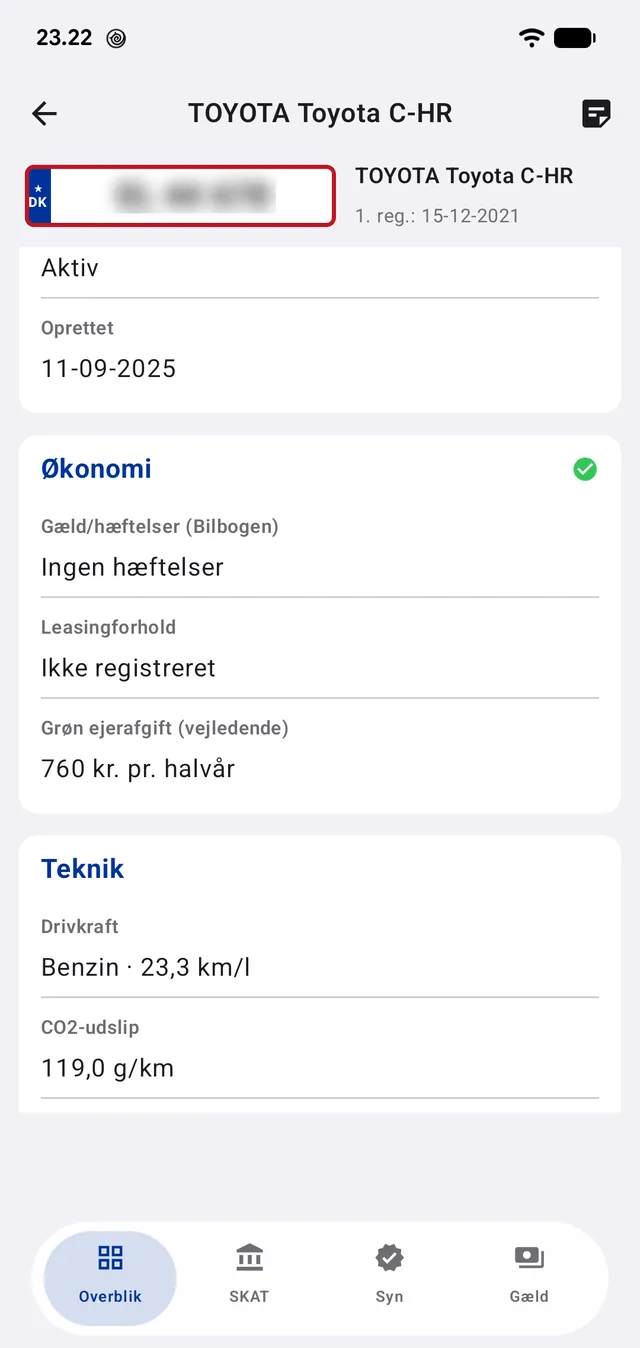
Debt and charges come from the vehicle charge register: if the car stands as security for a loan, it says so here, and the charge follows the car rather than the seller. Leasing shows in the same place.

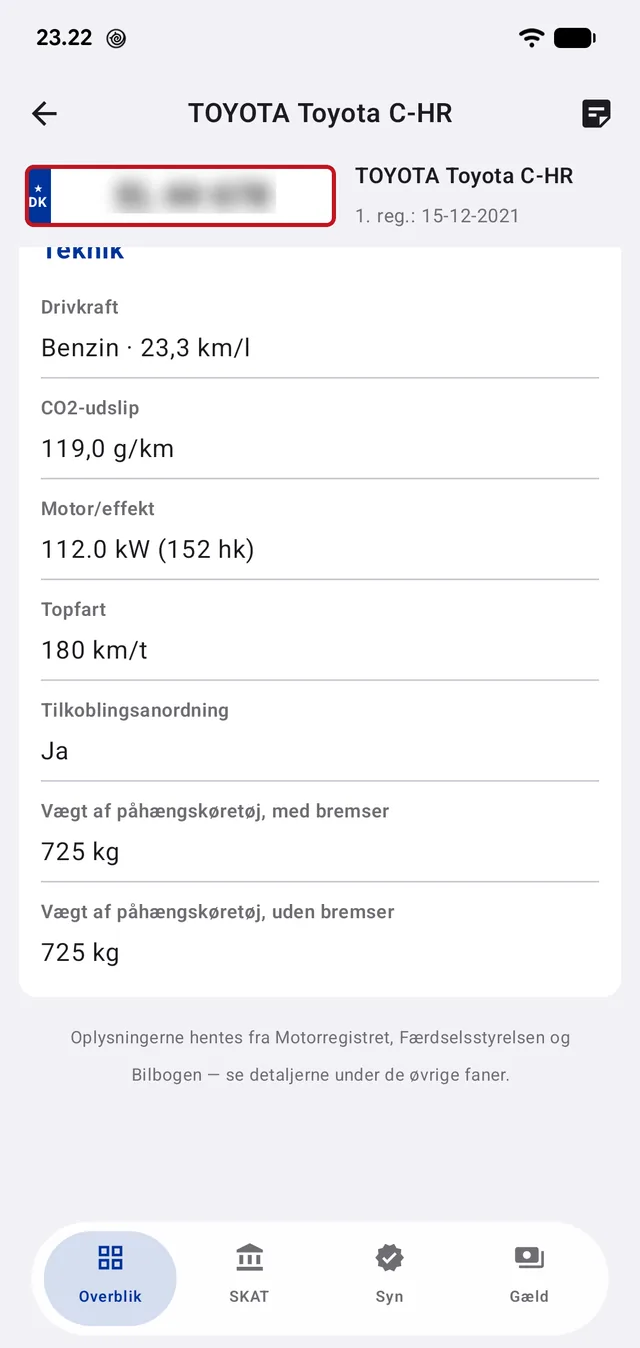
The green ownership tax is worked out in the app itself from the car's fuel type and consumption, using the Ministry of Taxation's own rate tables, and shown per half-year. Fuel type, km/l, CO₂ emissions, engine output, top speed and — for anyone with a trailer — the permitted towing weight with and without brakes sit under technical data.

At the bottom stands what the app cannot take credit for: that the information comes from the Motor Register, the Road Safety Agency and the charge register, and can be checked under the other tabs.

Charges, leasing and the green ownership tax computed from the ministry's own rates.
Fuel type, consumption, CO₂, output and permitted towing weight — with the source noted at the bottom.
05

The three sources, one by one

If you want the original answer, each source sits as its own tab. These are not screenshots or a copy of the data — they are the authority's own page, shown inside the app.

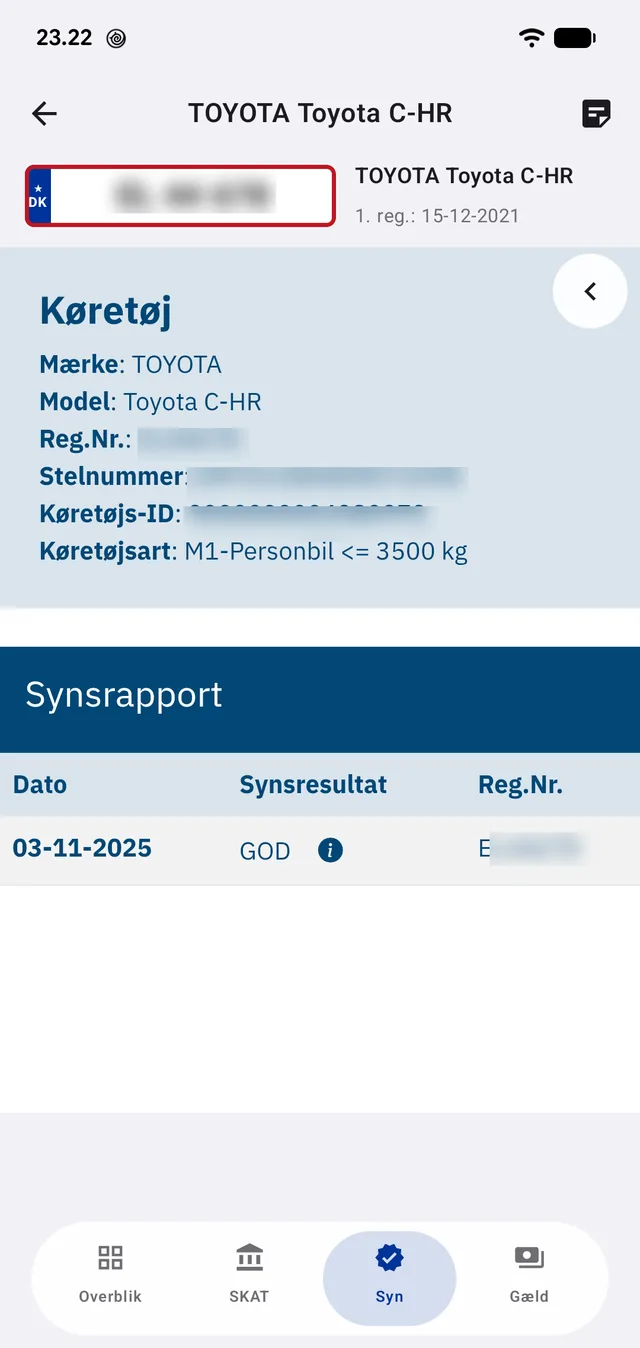
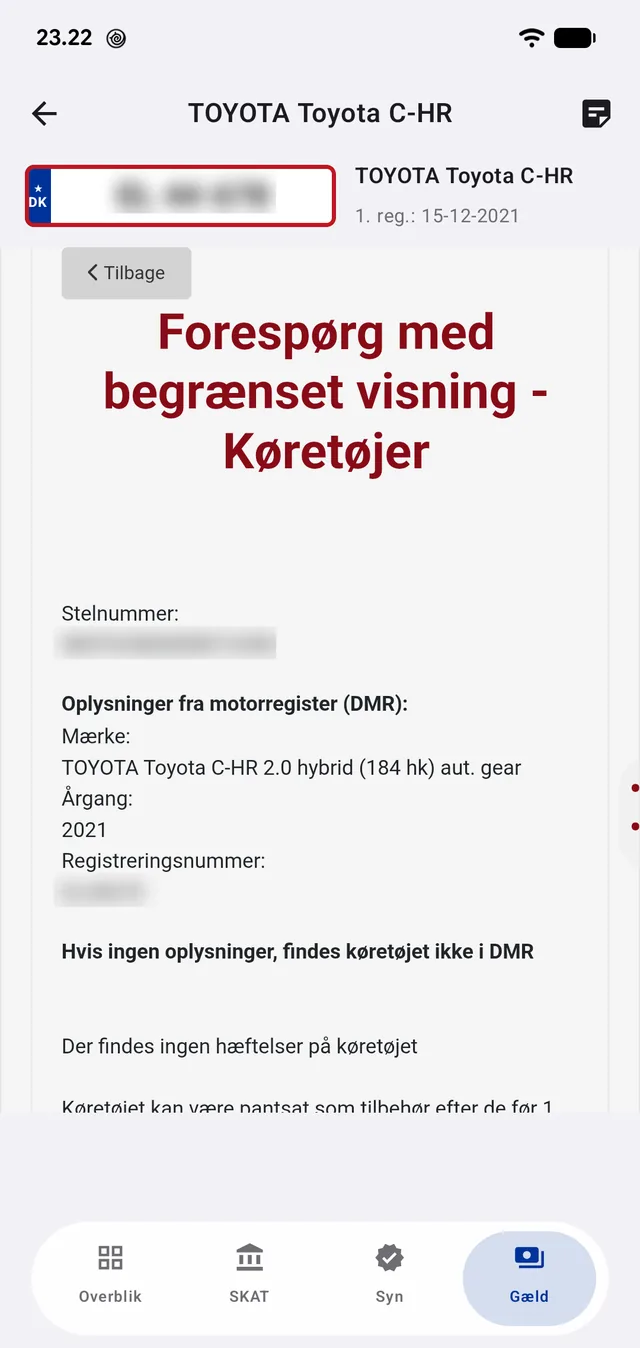
SKAT is the Motor Register lookup with all five tabs: vehicle, technical, inspection, insurance and exemptions. Syn is the Road Safety Agency's inspection report with the full history. Gæld is the charge register's enquiry, which answers either 'no charges are registered against this vehicle' or lists them.

The app fills in the forms itself: it types the number into the field, picks the right search type and presses the button — and hides the sites' menus and banners so only the answer remains. If a step goes wrong, the page is shown as it is and you can search by hand. The automation is a convenience, never a prerequisite.

The charge register can only search by VIN. If one of the other registers finds the car first, the app reuses the VIN from there and tries again — once, never in a loop.

The Motor Register at the Danish Tax Agency, filled in by the app and stripped of menus.
The Road Safety Agency's inspection report with the full inspection history.
The charge register: 'no charges are registered against this vehicle'.

Where the information comes from

Everything in the app is publicly available register data, fetched straight from the authorities' own pages. The app has no database, stores no lookups on a server and requires no account.

The Motor Register (Danish Tax Agency)
Vehicle data, technical data, registration status, insurance
The Road Safety Agency — findsynsrapport.dk
Inspection results, odometer readings and the inspection photo
The vehicle charge register (Land Registration Court)
Charges and liens against the vehicle
Ministry of Taxation rate tables
Green ownership tax, computed in the app from fuel type and consumption