All apps
Security · INT

PowerMax SMS

Arm and disarm the alarm with one message — no internet, no account.

What it does

PowerMax SMS controls your PowerMax alarm panel by text message, the way the panel itself was built to be controlled. Four big buttons for arm, disarm, arm home and status, a message log where the alarm code shows as dots, and a notification when the panel answers. No server, no account and no subscription — the messages go to your own panel and nowhere else.

  • Arm away, disarm, arm home and status — four big buttons
  • Every message followed to the door: sending, delivered or failed
  • A message log with the alarm code masked throughout
  • 12 panel languages, and every command can be edited
  • Lights and the PGM output through X10
  • More than one panel — house, summer house, workshop
  • The code encrypted on the phone, the app locked with your fingerprint

PowerMax SMS is an independent app with no affiliation to, endorsement by or support from Visonic. 'PowerMax' and 'PowerLink' are Visonic product names, used here only to say what the app is compatible with. The app needs a PowerMax panel with a SIM card and SMS switched on, the panel's phone number and your user code; your operator's normal message rates apply.

How it works

The alarm is armed and disarmed with a message

A PowerMax panel with a SIM card in it can be controlled by text message — it always could. The hard part is not the message but everything around it: hitting the right command, knowing whether it arrived, and keeping the key to the house off the phone. Those are the three things the app is built around.

01

Four buttons, with the command printed under them

The front screen is four panels in the colours you expect: red for arm away, green for disarm, amber for arm home and blue for status. They are large enough to hit in the dark, with gloves on, from a car window.

Under each name stands the command that will be sent — TILK, FRAK, TN, ST. That is not decoration: the commands belong to the panel, not the app, and if they are wrong the panel simply does not answer. With them in plain sight you can see it at once instead of guessing why nothing happened.

At the top sits the panel's latest reply, with the time and what you sent. It stands in the panel's own wording, in the panel's own language — the app does not rewrite it.

  • Arm away, disarm, arm home, status
  • The command stands under the button, every time
  • Confirmation before sending can be switched on
  • A home screen widget with the same three
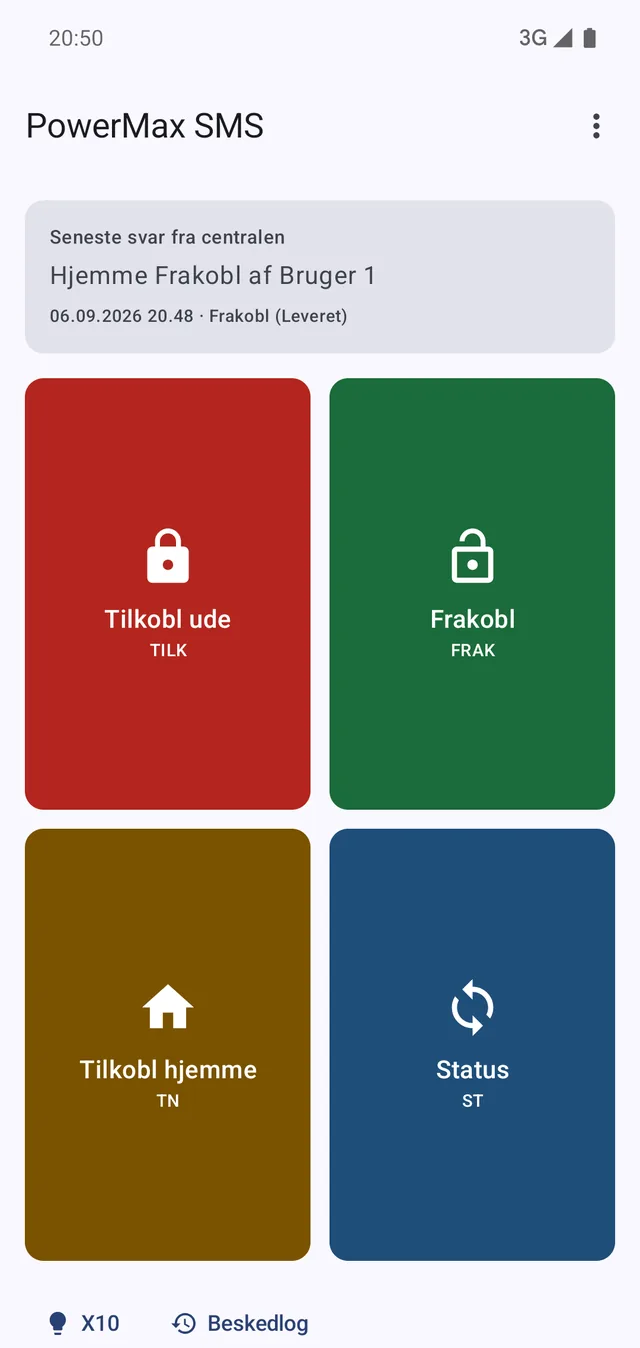
The four buttons, each with its command, and the panel's latest reply on top.
02

Every message followed to the door

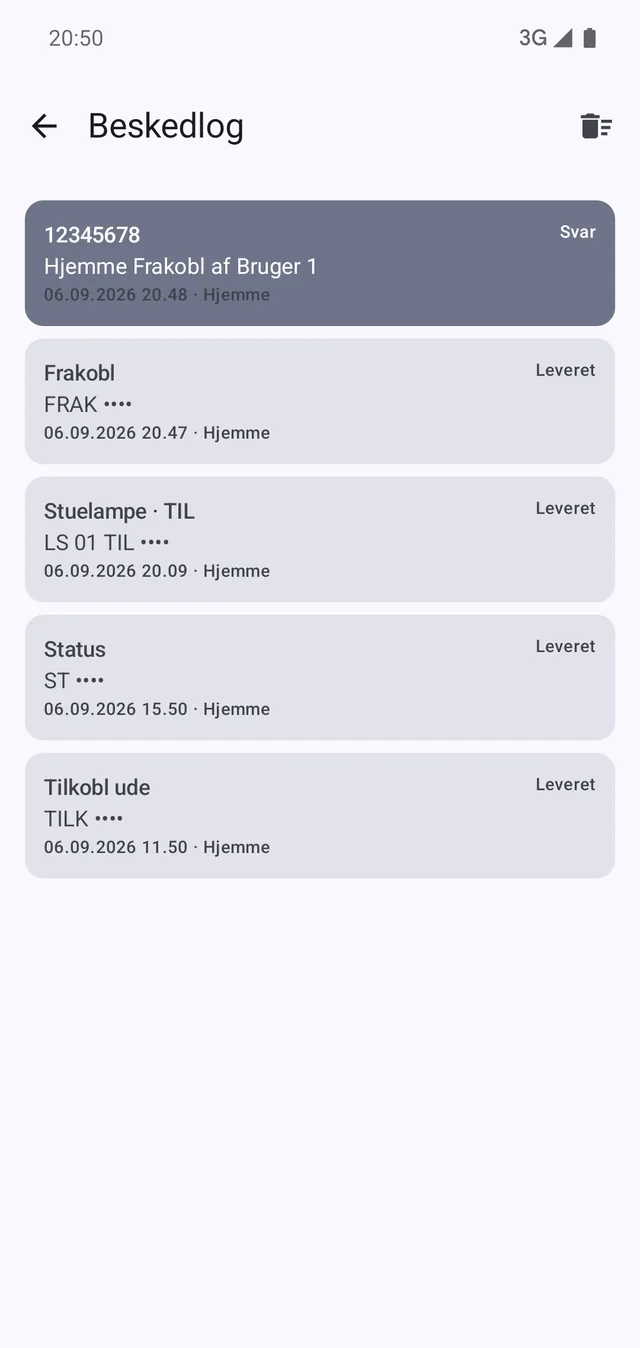
Most SMS apps fire and forget. Here every command is recorded with its status all the way: sending, sent, delivered — or failed, with the reason, whether that is no network, flight mode or a refusal from the phone itself. The receipt comes from the radio, not from a guess.

That is the whole difference between standing in the driveway believing the alarm is off and knowing it.

The log holds both what you sent and what the panel answered, with the time and which panel it was. The alarm code is replaced by dots everywhere it appears — 'FRAK ••••' — so the log can be read, and passed on for help, without handing over the key.

Commands and replies in one log. The code shows as dots here too.
03

Twelve panel languages, nine commands

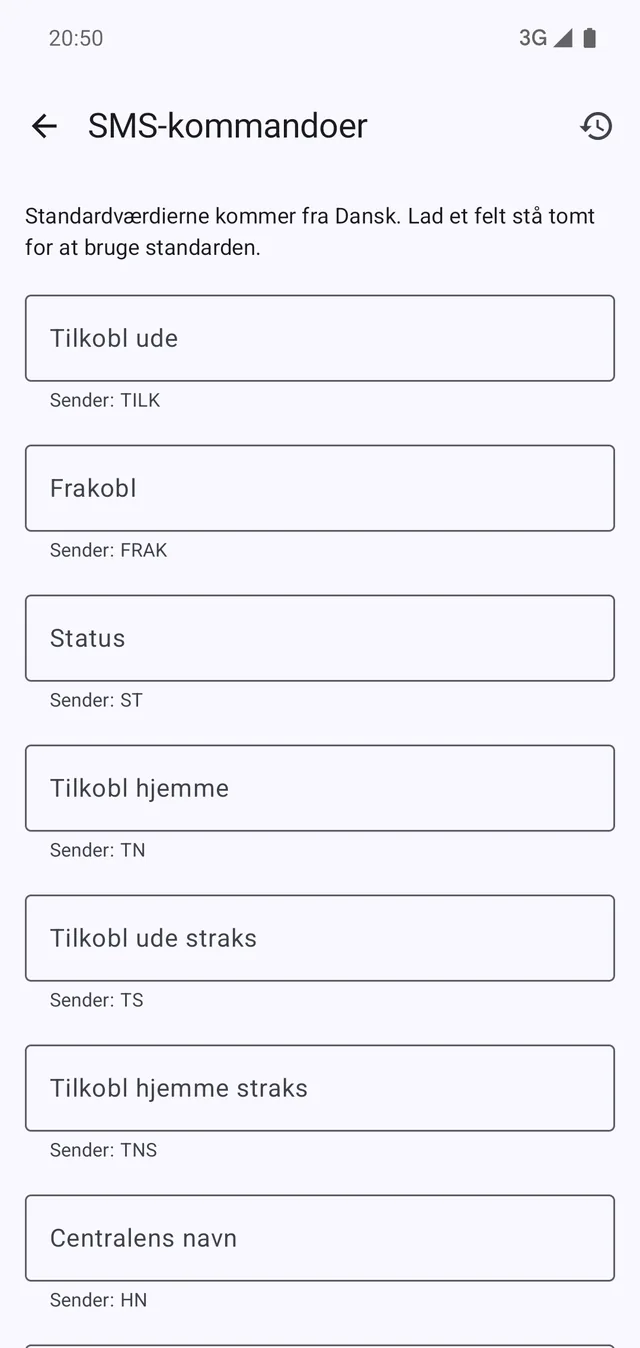
A PowerMax panel answers only to the commands of its own language, and they are not the same. The app knows them for twelve: Danish, Dutch, Dutch 2011+, English, French, German, Italian, Norwegian, Portuguese, Russian, Spanish and Swedish. Pick the one the panel is set to and the right commands are ready.

The values were read out of the old app and are locked down by tests, precisely because they must not drift: one wrong letter is a command the panel ignores in silence.

If your panel was set up differently, each of the nine commands can be edited on its own and reset to the language default with one tap. An empty field means the default — you do not have to type it back in to return.

  • 12 languages, each with its own default commands
  • All nine commands can be edited per panel
  • An empty field means the language default
  • The language is set per panel, not for the whole app
The commands per panel. The line under each shows what is actually sent.
04

Lights and PGM from the same app

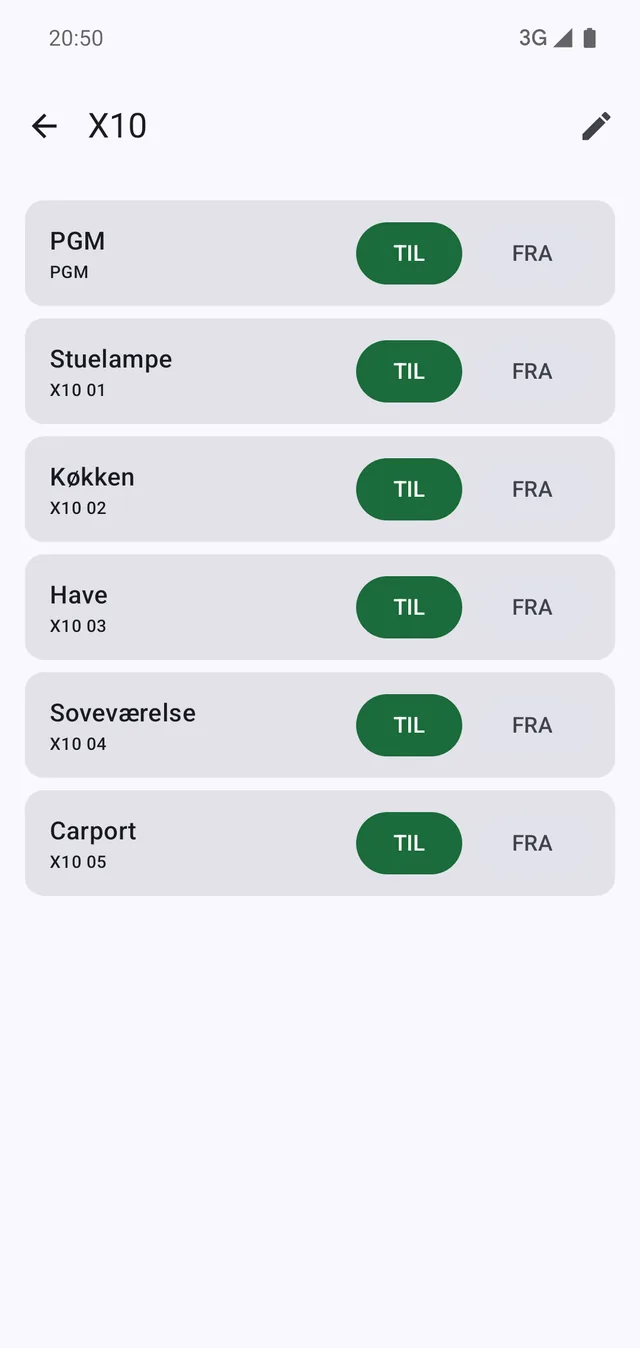
If the panel has X10 devices attached, they can be switched on and off here: the PGM output and up to fifteen devices, each under the name it has in the house — living room lamp, kitchen, garden, carport.

You choose which ones are shown. If three are in use, the other twelve should not fill the screen, and the list can be kept short enough that the right switch can be hit without reading.

They are the same text message commands as the rest: the devices are driven by the panel, not by a cloud, and so they still work when the internet in the house is down.

PGM and the X10 devices under their own names. Only the chosen ones are shown.
05

It is a key to your house

The alarm code is not a setting like the others. It is stored encrypted in the phone's hardware keystore, masked everywhere it is shown, and kept out of cloud backups — so it does not travel to a new phone behind the owner's back.

The app can be locked behind a fingerprint, a face or the phone's screen code. If the phone cannot unlock, the app opens as normal rather than shutting the owner out of their own alarm.

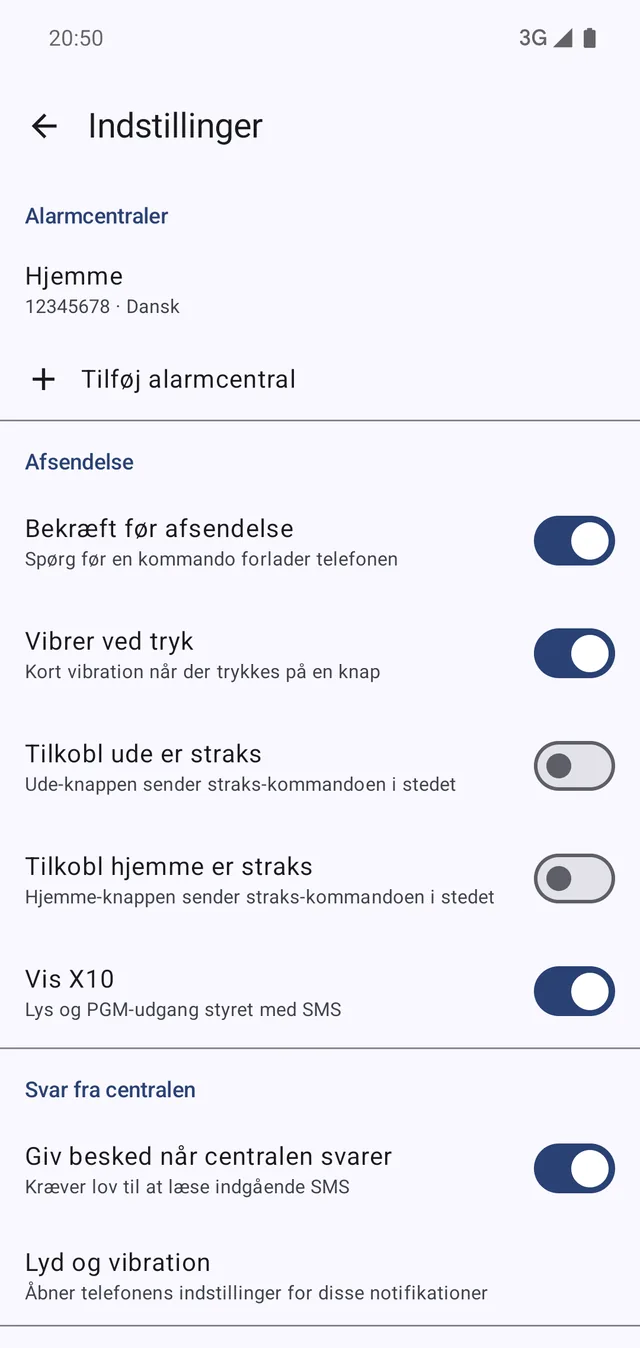
Turn on replies from the panel and its messages arrive as an ordinary notification instead of a window thrown over whatever you were doing. Only messages from the exact number you entered yourself are touched — everything else passes on to the phone's usual messaging app.

There is no server and no account. House, summer house and workshop can each be their own panel with its own number, code, language and device names, switched from the top bar.

  • The code encrypted, masked and kept out of backups
  • Fingerprint, face or screen code in front of the app
  • Replies as notifications, only from your own panel
  • As many panels as you need
  • A choice of SIM on dual-SIM phones
Panels, sending and replies. Confirm before sending is switched on here.

What the app is — and is not

A remote control for a panel you own yourself. There is nothing in between: no server, no account and no internet connection in the way.

The connection
SMS to the panel's own number. No server, no account, no internet
The commands
The panel's own, one set per language — the app invents none
The alarm code
Encrypted in the phone's keystore, masked in the log, kept out of cloud backups
Visonic
No connection. PowerMax and PowerLink are Visonic product names and only say what the app fits
The price
The app is free and carries no ads. Your operator's normal SMS rates apply